🚀 Day 02/180 (Bit Manipulation) 461. Hamming Distance (Leetcode)
#180DaysOfDSA#DailyCodingChallenge #LeetCodeJourney #GeeksforGeeks #CodingNinjas #Codechef #CodeForces #ContinuousLearning #TechCommunity
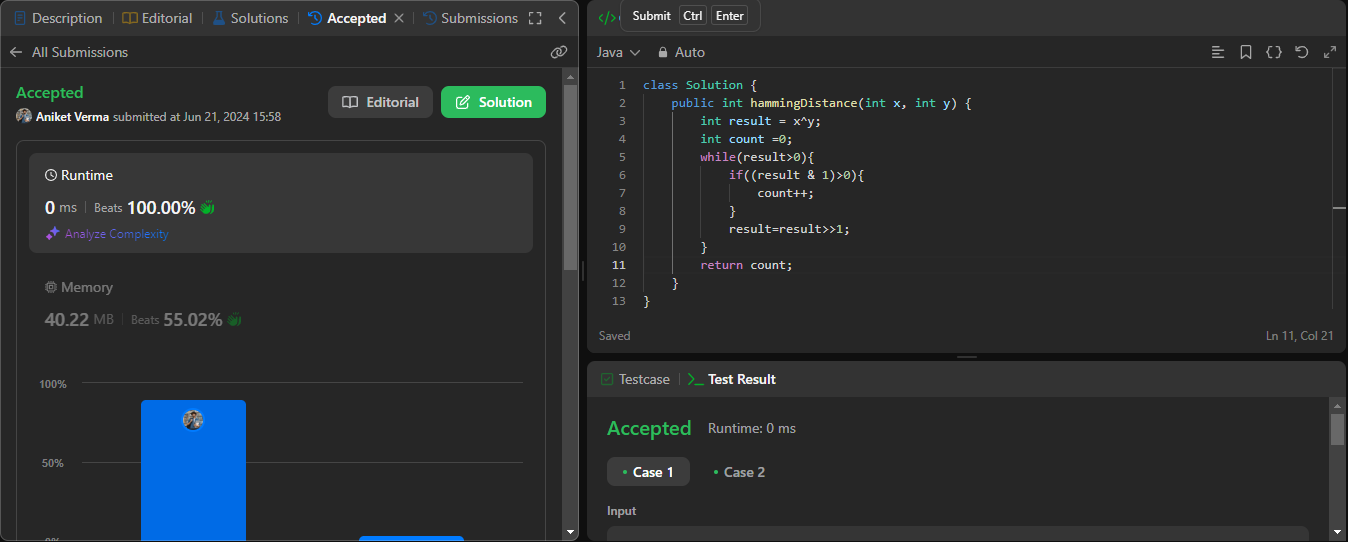
The given code calculates the Hamming distance between two integers x and y. The Hamming distance is the number of positions at which the corresponding bits are different. Here's a detailed explanation of the code:
class Solution {
    public int hammingDistance(int x, int y) {
        int result = x ^ y;
        int count = 0;
        while(result > 0){
            if((result & 1) > 0){
                count++;
            }
            result = result >> 1;
        }
        return count;
    }
}
Dry Run :
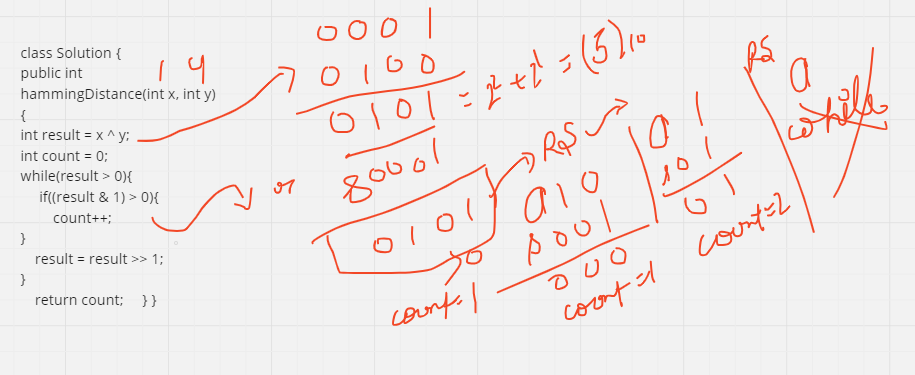
Step-by-Step Explanation
XOR Operation (
x ^ y):The XOR (
^) operation betweenxandyis performed and stored inresult.XOR of two bits is 1 if the bits are different, and 0 if they are the same.
Therefore,
resultwill have bits set to 1 whereverxandyhave different bits.
Counting the 1s in
result:The variable
countis initialized to 0. This will be used to count the number of 1s inresult.A while loop runs as long as
resultis greater than 0.
Inside the While Loop:
Bitwise AND Operation (
result & 1):This checks if the least significant bit (rightmost bit) of
resultis 1.If
(result & 1)is greater than 0, it means the least significant bit is 1, socountis incremented by 1.
Right Shift Operation (
result = result >> 1):resultis right-shifted by 1 bit (equivalent to dividing by 2 and discarding the remainder).This effectively moves to the next bit to the right in the next iteration of the loop.
Return the Count:
- Once the loop terminates (when
resultbecomes 0), the total count of 1s (i.e., the number of differing bits) is returned as the Hamming distance.
- Once the loop terminates (when
Example
Let's take an example to illustrate the process:
Suppose
x = 3(which is0011in binary) andy = 1(which is0001in binary).x ^ ywill be3 ^ 1which is0011 ^ 0001 = 0010(which is 2 in decimal).
The binary representation of result is 0010:
The least significant bit is 0.
Right shift
0010by 1 gives0001.The least significant bit is now 1.
Increment
countto 1.Right shift
0001by 1 gives0000.The loop terminates as
resultis now 0.
The final count is 1, which is the Hamming distance between 3 and 1.
This code efficiently counts the differing bits between two integers using bitwise operations.